How I Used Self-Hosted AI in 2025
In early 2024, I bought an NVIDIA RTX 4090, which has 24GB of VRAM. This enabled me to experiment with tons of interesting AI. Since 2025 was another amazing year for transformer and diffusion-based models, I wanted to post again on how I’ve been using AI locally.
Below, I have a breakdown of each category: Image Generation, Text-to-Speech, Programming, Text Generation & Chat, and a few extras. There’s a lot of neat new models. But, the big change is shifting from large kitchen sink software like OpenWebUI and InvokeAI to more tailored solutions.
And stick around for the end, where I discuss how to run all of these services without running out of VRAM.
Image Generation§
For much of the year, I was still using InvokeAI with really old models: Stable Diffusion XL (released in 2023) or Flux.1 Schnell (released August 2024).
But, after waiting nearly 6 months for Z-Image support, I eventually gave up on waiting and used Claude Code (Sonnet 4.5) to generate a micro-app for inference on this as well.
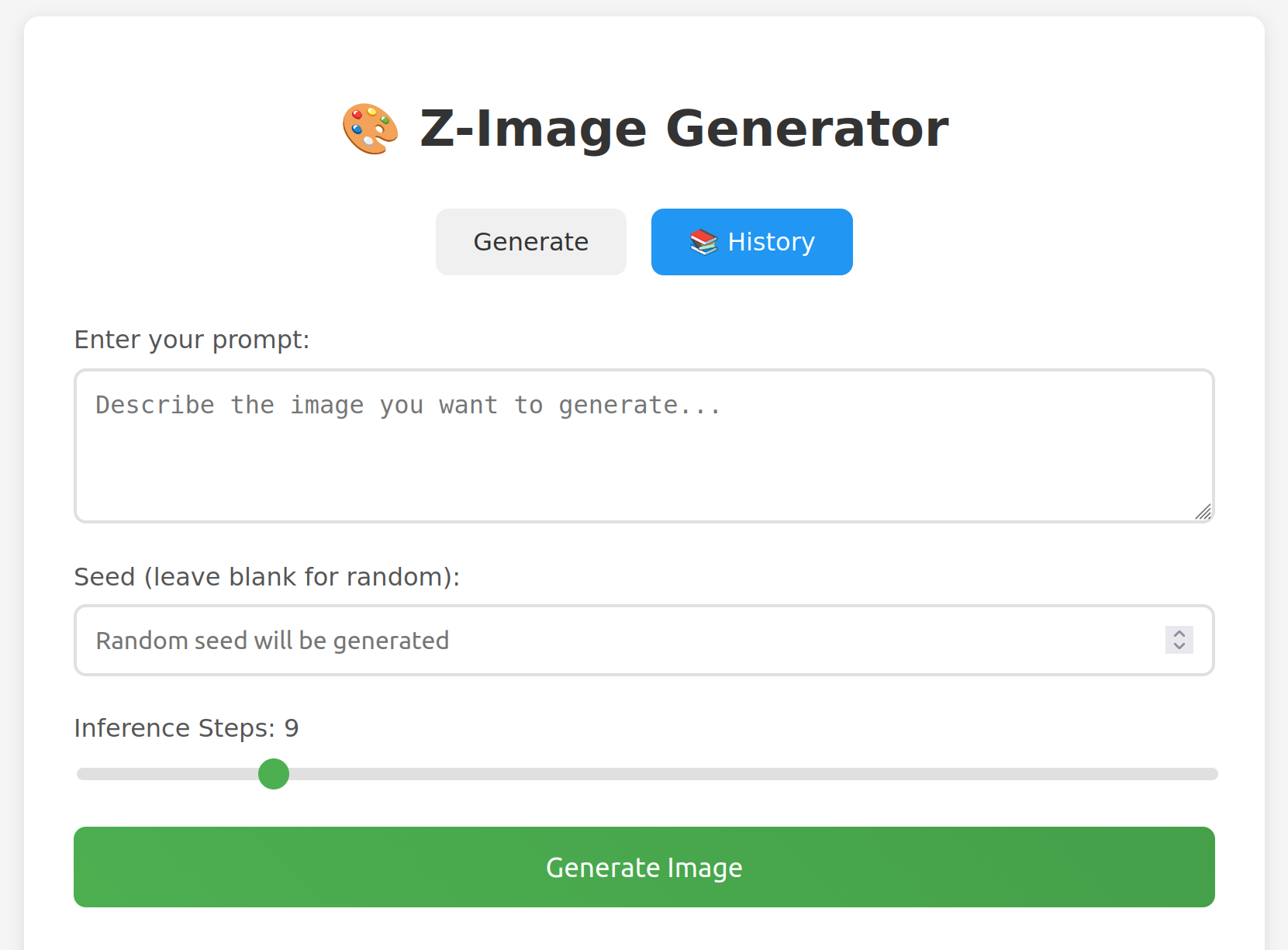
This has been an amazing improvement over the older image generation models. And, this version is now spouse tested and approved. She was actually excited enough about this to invite a friend over to use it, too.
This is going to be a recurring theme of this post. I’ve been switching from bulky general purpose tools to more focused ones and supplementing with what I’m calling “micro-apps”.
These web services, often a single HTML/CSS/JS form wired up to a backend, do some single-purpose task. Claude Code and other agentic coding tools make it easy to rapidly build these, often with only a few prompts.1
Text-to-Speech§
I listen to a lot of content, usually articles found from a large, and constantly growing list of RSS/Atom feeds passed through text-to-speech.
Generally, I have a 2 tiered system for TTS: fast/low-quality and slow/high-quality. For about half of the year, I have used Kokoro TTS for quick generations and Coqui XTTS for higher quality speech.
Now, I’ve switched to Chatterbox Turbo for quick articles and Orpheus TTS for quality use cases. But, Kokoro will still have a special place for me, because it’s astoundingly efficient; small enough to work on CPU on even modest devices. I predict it’s going to stick around for a long long time.
For Orpheus, I’ve found Orpheus-TTS-FastAPI to work great. For Chatterbox Turbo though, I used Claude Code with GLM 4.6 to create a micro-app for inference using an OpenAI-style TTS API endpoint.
So now I’ve standardized around a black-box OpenAI-compatible endpoint for inference. My custom pipeline for feed content and ad-hoc uploads integrates with these endpoints.
This use case alone justifies having the GPU locally. My audio consumption simply wouldn’t be economically possible without local inference.
Otherwise, there isn’t much more to say here. I realize I’m an extreme outlier in listening to so much TTS audio, and the main takeaway from this section is mostly just that:
- Orpheus & Chatterbox work great on a single 4090
- OpenAI-compatible endpoints efficiently abstract over how the models work
- This is another case of Claude Code with Sonnet 4.5, Opus 4.5, or GLM 4.7 being able to mostly one-shot generating “micro-apps” for inference on new models

Programming§
For the most part, I’ve shifted from local coding AI to hosted services, namely Claude Code and z.ai’s Coding plan for GLM series of models (incl. the new 4.7 release).
These larger models are just too good to resist and can’t really be matched in a local setup, unless you have an obscene hardware budget. However, I am still using some local models in some cases for personal coding.
Firstly, I’m still using inline code completion. I’ve moved from Tabby to llama.vim, mostly running Qwen 3 8B.
Second, for one-off questions and scripts outside the context of an existing repository, I am using Devstral Small 24B or Qwen 3 Coder 30B A3B 2507 over hosted options.
And finally, I have a few focused tools that perform a specific task in a codebase. These work great on smaller models like the 20-30B models mentioned here.
For example, I have a Godoc documentation generation tool that uses tree-sitter (via go-tree-sitter) to find and document undocumented functions, structs, and methods in Go code. Another workflow monitors open source libraries I frequently use and summarizes new commits (for insights beyond the commit messages).
Claude Code (either on Anthropic Sonnet 4.5, Opus 4.5 or Z.AI’s GLM 4.7) would probably also be able to do these tasks very well (and without the tree-sitter plumbing). But, there isn’t a big quality different over local models, and the existing workflow works. Plus, the local flow saves on hosted model usage limits.
Text Generation & Chat§
I’ve ran OpenWebUI & Ollama since getting my 4090. This pairing allows dynamically downloading models and chatting with support for web search, document RAG, multi-modal chat, speech input & output, and tons more.
However, LLama.cpp recently announced a router mode. This mode manages loading and unloading models as they’re used. This is a significant improvement (for simple use cases) over both llama-swap, (which requires editing the config to list available models & settings) and Ollama (which is closed source and lagging significantly on implementing new model support as they transition from llama.cpp to their own inference backend).
Paired with the significant polish LLama.cpp’s built-in chat UI has gotten, the new router mode pushed me over the edge to switch to just using LLama.cpp exclusively.
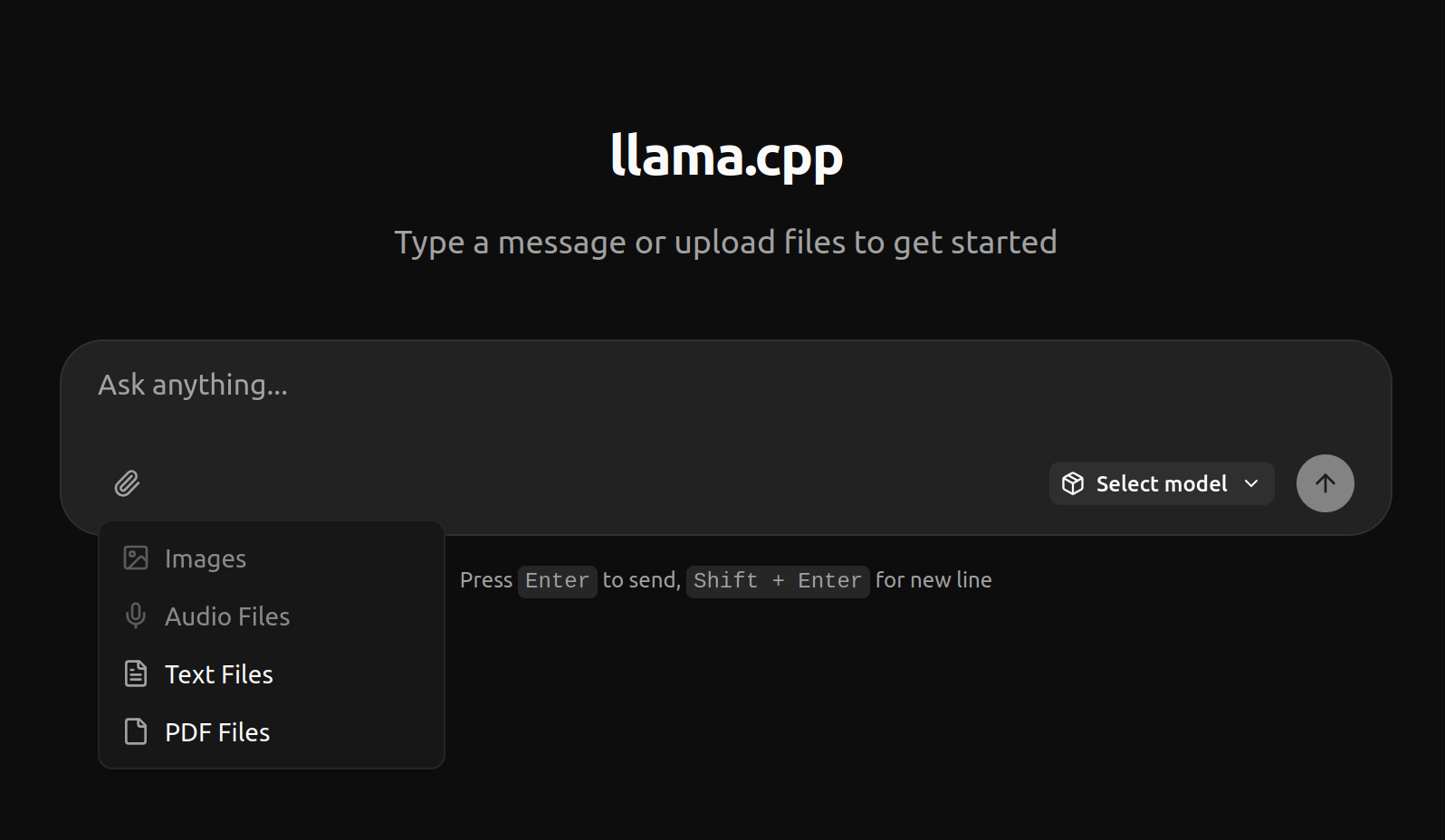
LLama.cpp’s UI supports exactly the features I need - mainly simple chats, but occasionally text/PDF document context. I never really used the Web Search or any plugins in OpenWebUI.
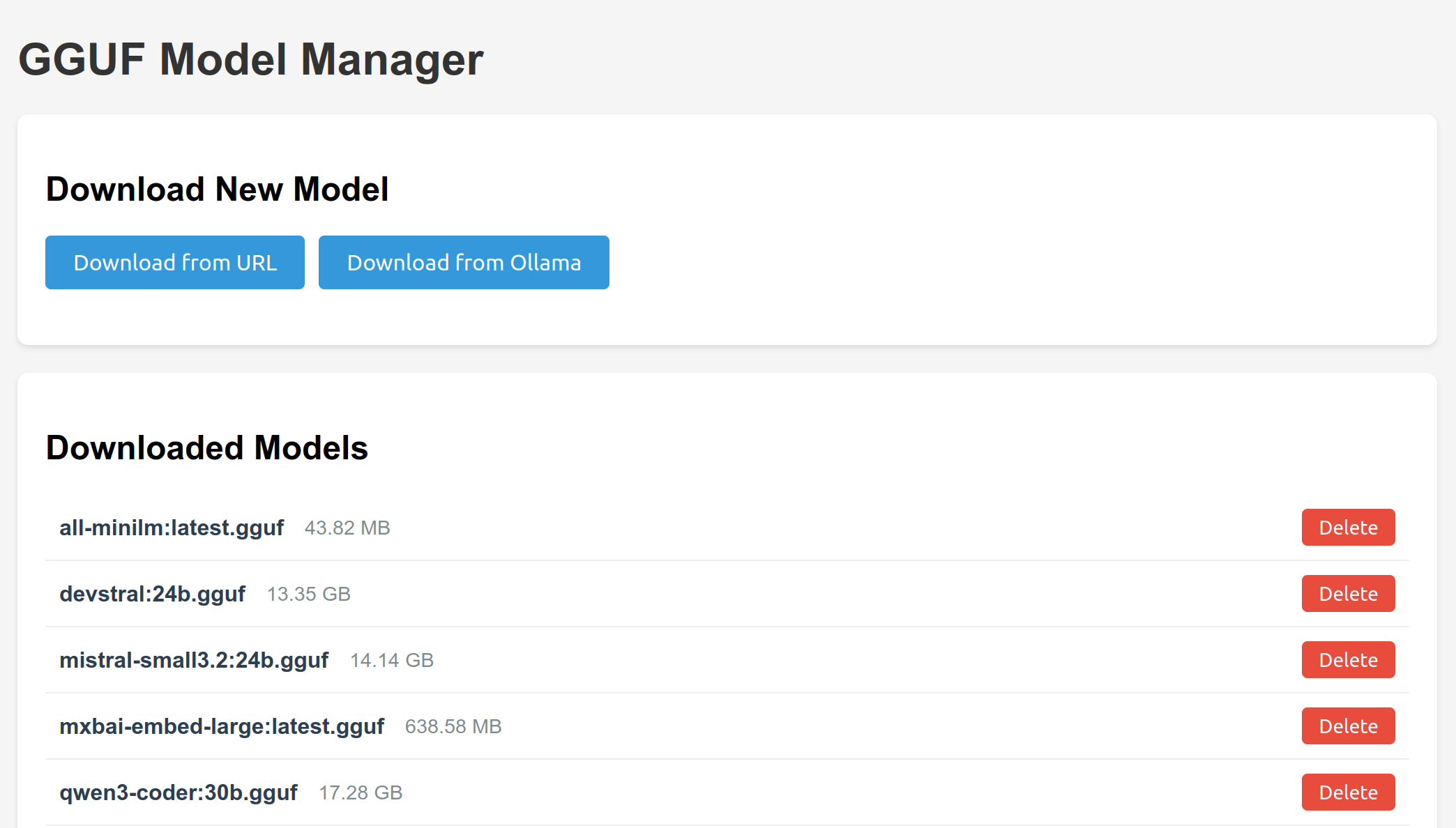
The one area that I did miss from Ollama was model management. So, I added a small model management webapp to support downloading new models and removing older ones. This was really easy to whip up with agentic coding.
Other§
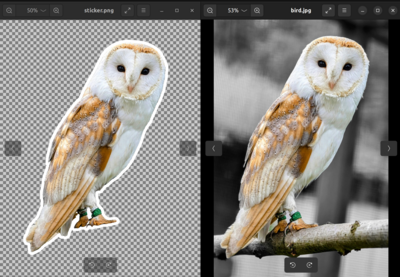
Last time, I discussed vision models, music generation, and other less common modalities. But of these, I have only used one consistently since then: Image Segmentation. I use this to create “sticker’s” and any other times I need to remove the background from an image.
Meta released Segment Anything 3 this year. The new prompt-based object identification method is interesting. But, ultimately the old method of point-based inclusion/exclusion worked fine.
In the future, I might get more use out of vision models if I had an efficient way to get images into the model. So, this is a prime area for another “micro-app” to run as a PWA on my phone.
Conclusion§
Standardization & simplification is upon us. LLama.cpp and OpenAI-compatible endpoints are still king. Thanks mostly to Chinese companies (plus Mistral), open source models are still trailing mere months behind SOTA mega-models. And, agentic coding is amazing at creating “micro-apps” to fill gaps.
But you may be wondering, how do I run all of this in 24GB VRAM? Sure, each individual model fits in that size. But many, such as 30B models and Orpheus TTS take almost the entire VRAM.
To solve this, you need a system to dynamically start & stop services on demand. For example, Sablier starts docker containers in response to HTTP requests and shuts them down after a period of inactivity.
For local use with limited resources, this dynamic capability is critical for a smooth experience. It’ll save a bit of power as well.
- You are still responsible for reading the code and having good taste in how to build robust services. Without competent human oversight, agentic coding often spins off into a buggy mess or has glaring bugs that will delete all your data or get you hacked.